Personal Task Selector Redesign
About
Context:
Full-time Engagement
Services:
UI/UX

Inconsistent UI and User Error
When ClickTime users wanted to customize what Tasks they see on their personal Time Entry page, they were forced to navigate to a separate page. This legacy workflow presented several issues:
Inconsistency: The page was old and out of date, no longer matching our current Design System.
User Error: Users would easily miss the save button when leaving the page, leading to error and confusion.
Discoverability: The need to access a different page led to extra clicks and users not knowing about the feature.
Given my familiarity with the app and my close-knit relationship with our developers, I was able to transition into a design role for this supplemental feature.
Two constraints I had to keep in mind were ensuring we follow the established Design System, and utilize existing Kendo components to minimize technical risk and lift.
Determining the Optimal UI Choice
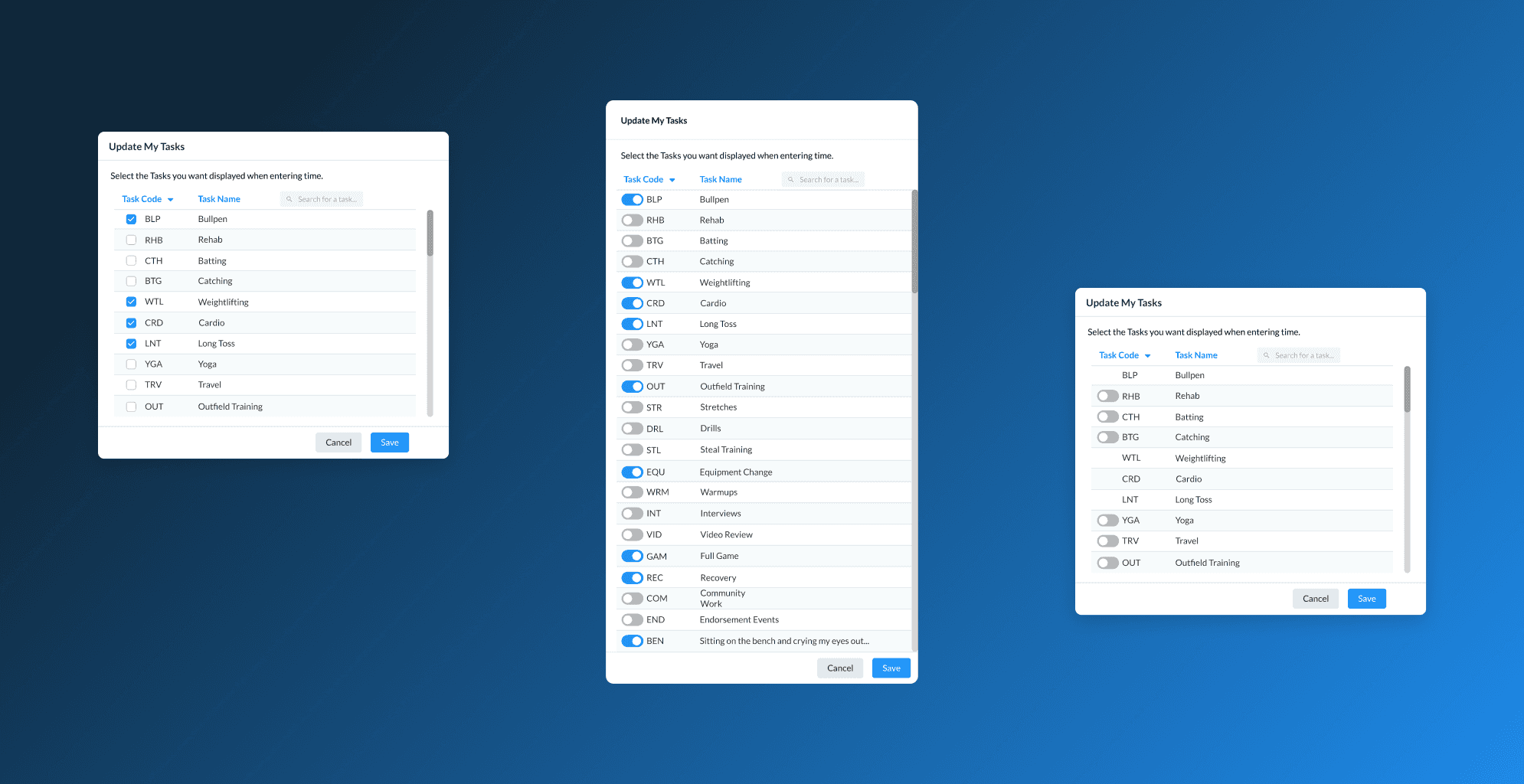
Through iteration and discussion, I explored several paths and options for the task selector:
Redesigned Page: Keep the UI on a separate page, but redesign it to look more consistent.
Modal Overlay: Implement a centered modal overlay to select tasks.
Slide-out Panel: introduce a slide-out panel from the right side of the page, keeping the user on the main page.
Refining Logic and Behavior
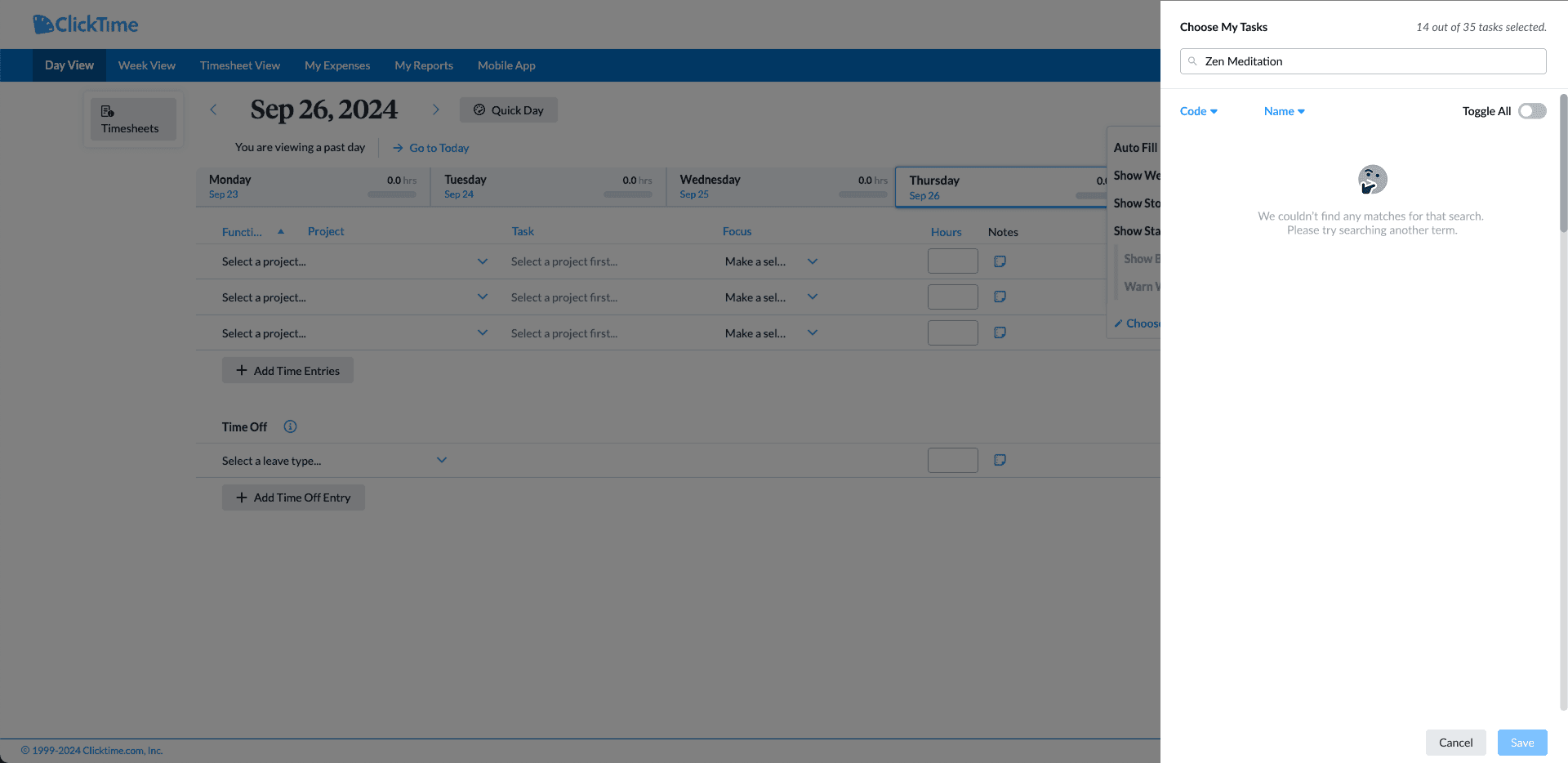
I ultimately chose a Slide-out Panel to keep users anchored to the Time Entry page, eliminating the need for context switching. During the design phase, I had to think through other considerations:
Input Choice: I opted for toggle switches over traditional checkboxes to provide a more modern interaction.
Saving Logic: I intentionally decided against an "autosave" feature. For users managing hundreds of tasks, an accidental "toggle all" could be disastrous. Instead, I implemented a manual save with a "Discard Changes" fail-safe.
Exit Intent: To prevent accidental loss of changes, I designed a confirmation message that triggers if a user attempts to close the panel with unsaved changes.

Final Design & Improved Workflow


Impact and Retrospective
Through user feedback and LogRocket, I confirmed that the new workflow:
Removed friction: Eliminated the need for back-and-forth navigation between pages.
Gained efficiency: Reduced the number of clicks required for task selection by about 30%.
Built consensus: While stakeholders were initially hesitant to switch from checkboxes to toggles, I drove alignment by demonstrating the superior visual and haptic feedback toggles provide.
This project validated the need to proactively push for small, meaningful UX improvements, even if they required deprecating existing pages and implementing newer design elements to the app.

