Baseball Pomodoro App
About
Context:
Personal Project
Services:
Vibe Coding

Hitting a (Very) Niche Target Audience
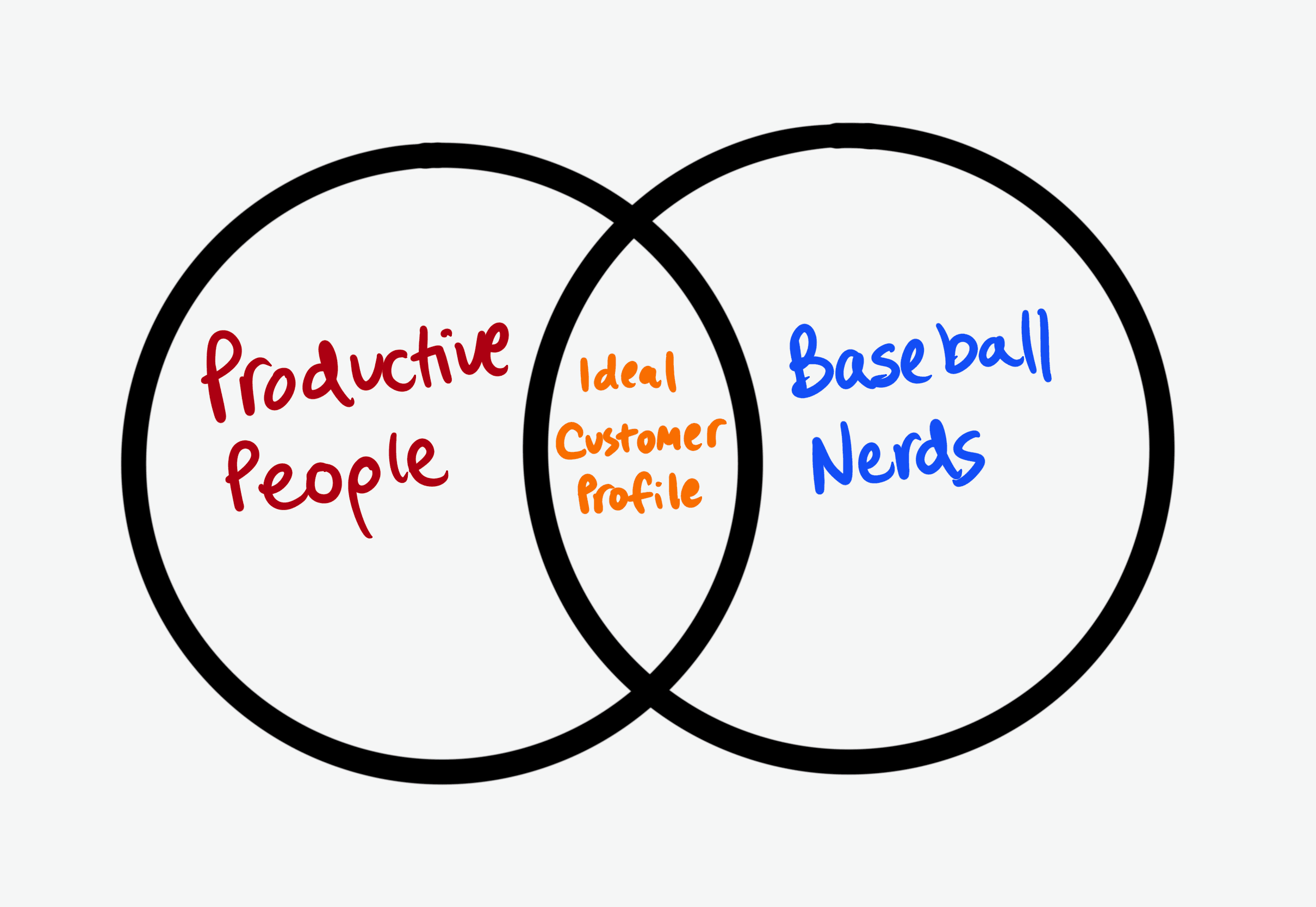
The ideal user of this app would be someone exactly like me: someone who enjoys nerding out about baseball, and someone who likes to stay productive and focused by utilizing the Pomodoro method.
The point of creating and launching this app is not to acquire thousands of users or make millions of dollars. The goal was to practice vibe coding and have fun creating a high-quality mobile app along the way.
Choosing the Right AI Platform
First, I had to choose a platform that would be easy to navigate and deliver the results I was looking for.
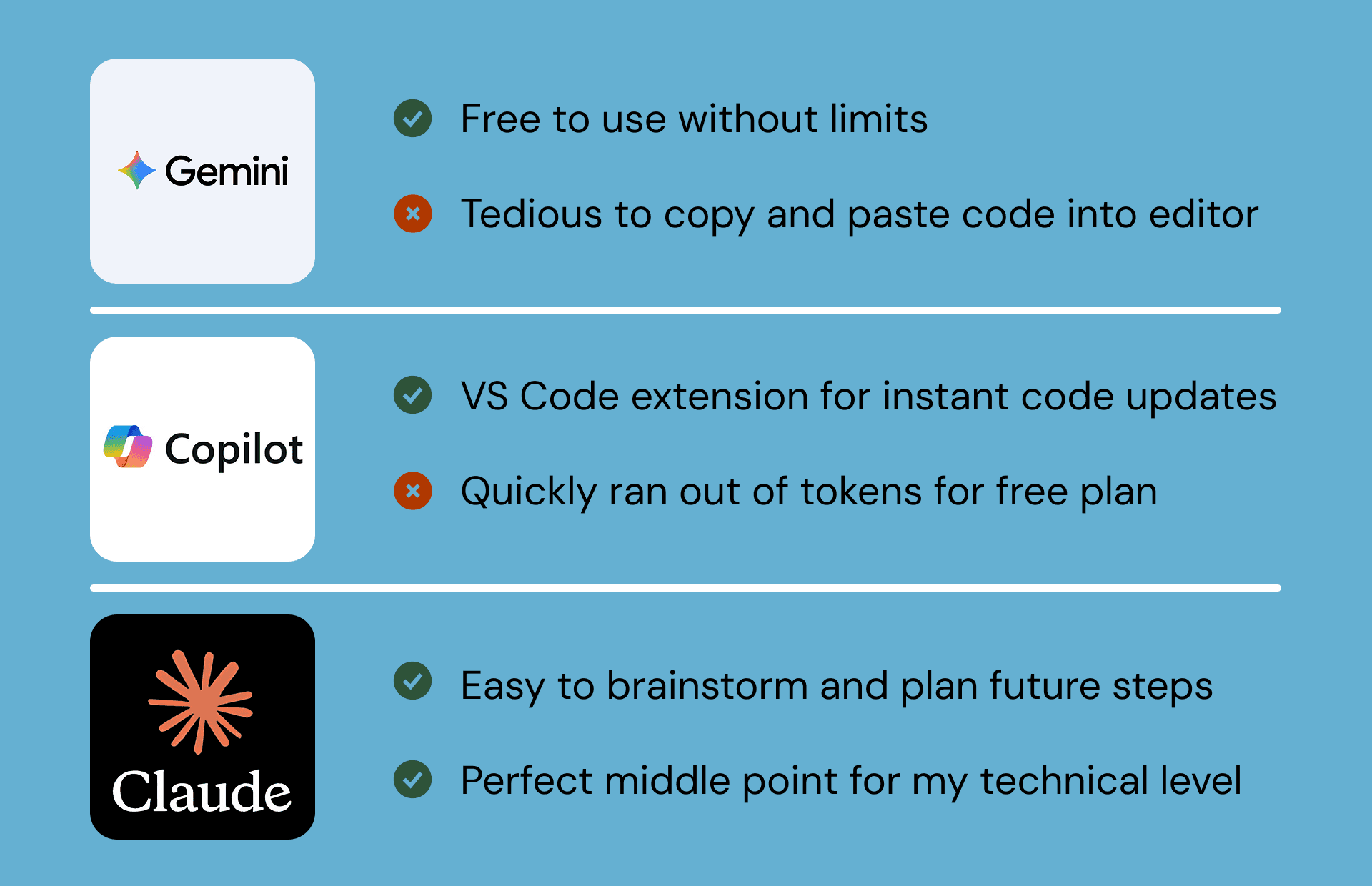
Claude turned out to be the best tool I tried out, providing the following benefits:
Brainstorming and planning: Claude will ask questions and make the process more interactive, especially during planning of new features and additions to the app.
Multiple changes at a time: Claude seems much more capable of making multiple small changes within a single prompt, without hallucinating and introducing new issues.
Balance of ease and technical ability: I found that compared to other apps, Claude was the easiest to use while still getting the job done. Apps such as Cursor and Copilot were a more technical and challenging to use for someone newer to vibe coding.
Planning and Setting the Stage
I started by describing my overall vision by providing:
Context: I provided Claude with the context that I'm a designer, not a developer. This helped frame how it provided suggestions and the terminology it would use to speak with me.
Goals: My end goal was to create a simple app that can be run in the browser, but then to eventually create documentation and post it on GitHub, and then ultimately upload to app stores. App store uploads may require significant rewrites in the future.
Features for later: I gave some insight into initial features I want now, and additional functionality to build later. It kept these in mind as we continued to build step by step.
Expectations on Accessibility: I set the expectation upfront that the app should pass Web Content Accessibility Guidelines (WCAG), so it would continually check contrast levels and other standards along the way.
Deciding on Logic and Behavior
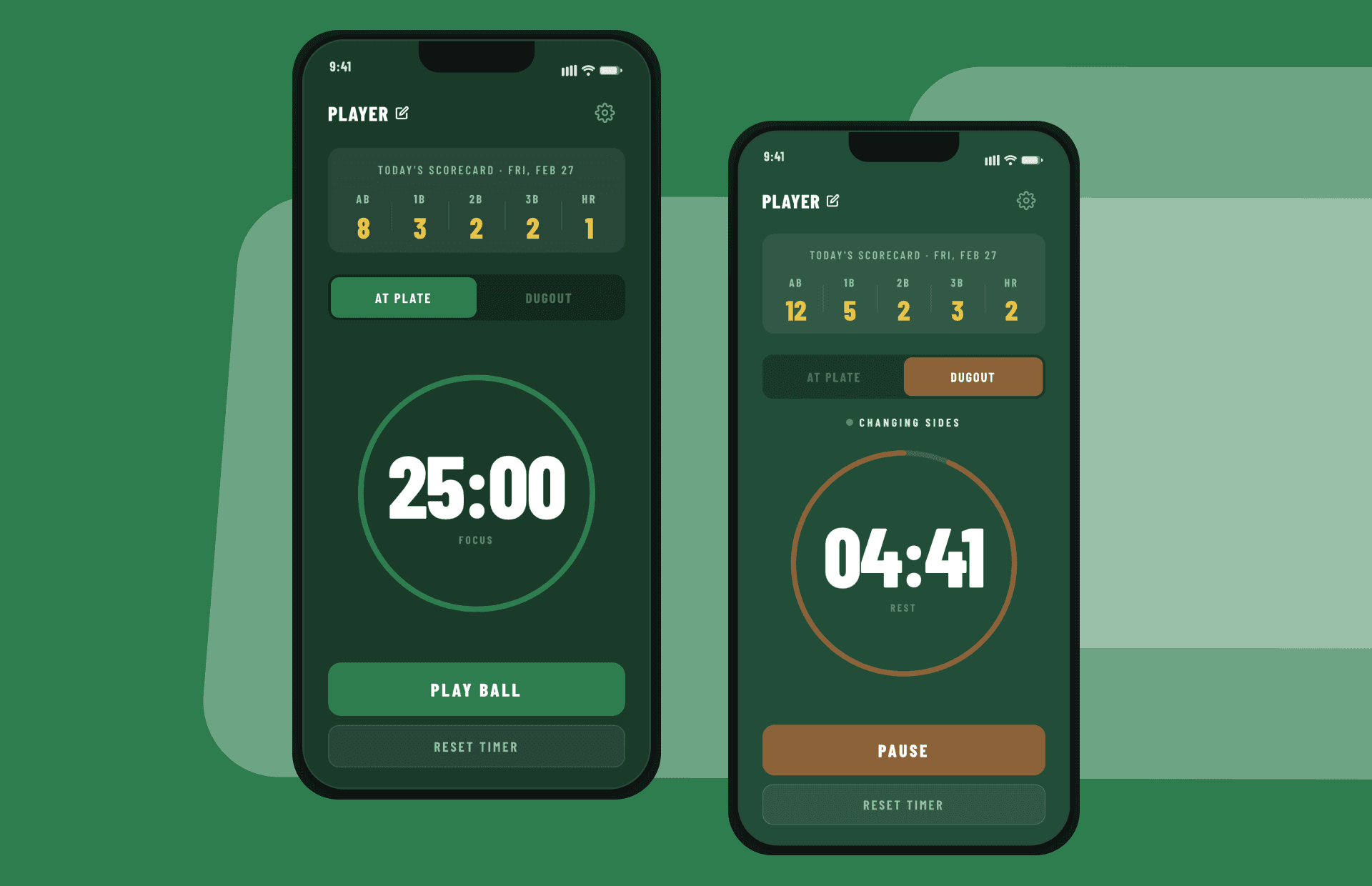
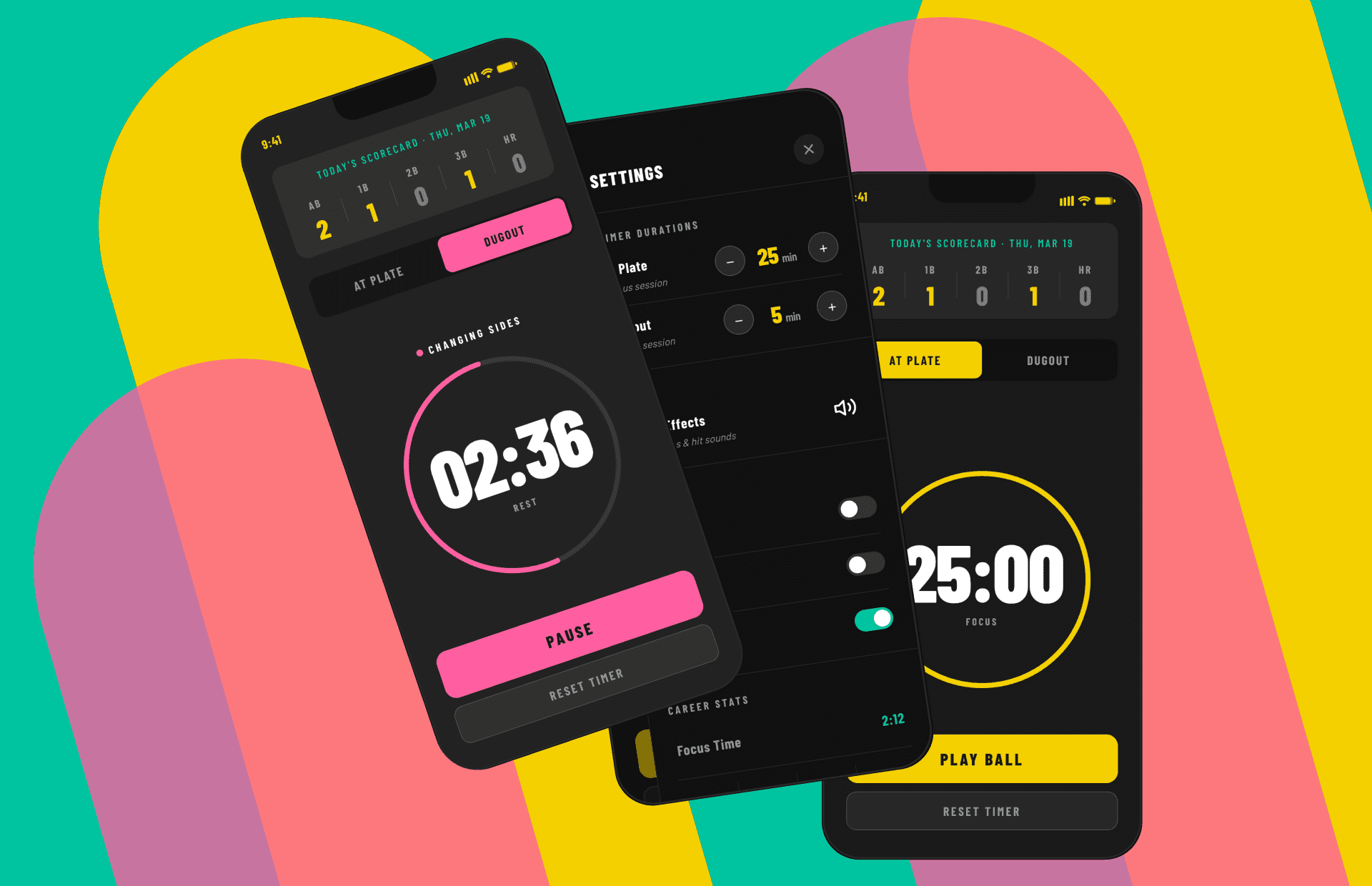
I decided to keep the logic simple and not re-invent the wheel. The overall behavior would work the same as any Pomodoro timer. A user can set a timer for 25 minutes, and then they are prompted to take a 5 minute break.
Users can also customize the duration of both timers, and lifetime statistics are stored.
As I built the framework I had to make certain decisions, such as how would the app behave once you close it, or when a timer is finished. Does the app go straight to the next type of session, are there sound effects, etc. These were important to think through so that a user doesn't have to learn how to use the app, whether they are familiar with the Pomodoro method or not.
Tracking Hits as Progress
To differentiate my app, I made it baseball-themed not just in the aesthetic, but also in how pomodoros are recorded.
When a user completes a focus timer, a random baseball hit is added to their counter. They will score either a:
Single (1B)
Double (2B)
Triple (3B)
Homerun (HR)
Each type of hit is paired with its own sound and badge, according to the significance of the hit. A home run gives a fun confetti celebration and a louder sound effect.
Each type of hit's occurrence is randomized with weightings to make Home Runs and Triples feel more rare than Singles.
For a user, each day acts as a baseball game, and the user is rewarded for their productivity with a stat. A user can be proud of their past accomplishments by reviewing their statistics, in the same way a baseball player could fondly review their Baseball Reference page.
Creating a Baseball-themed UI
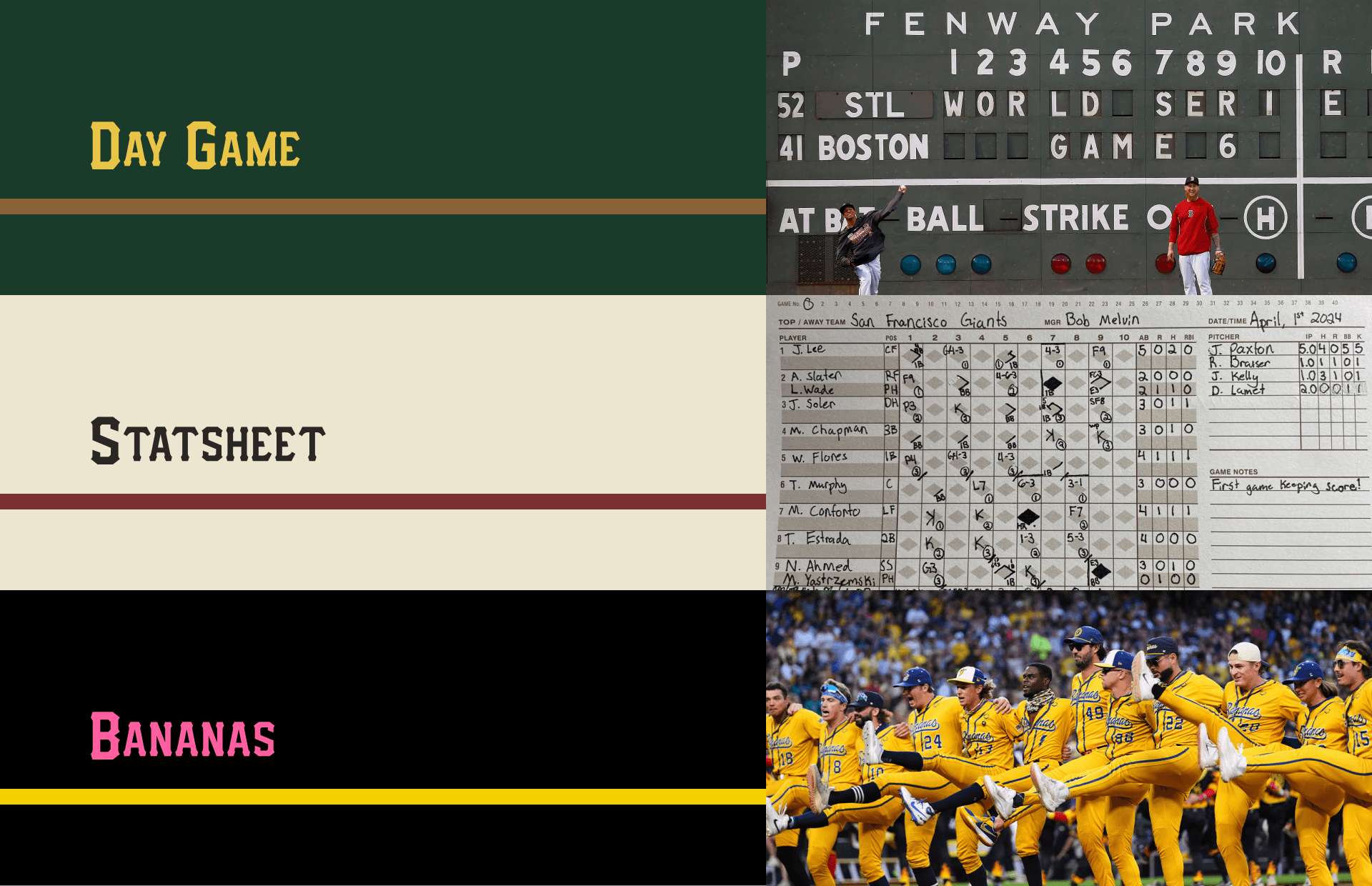
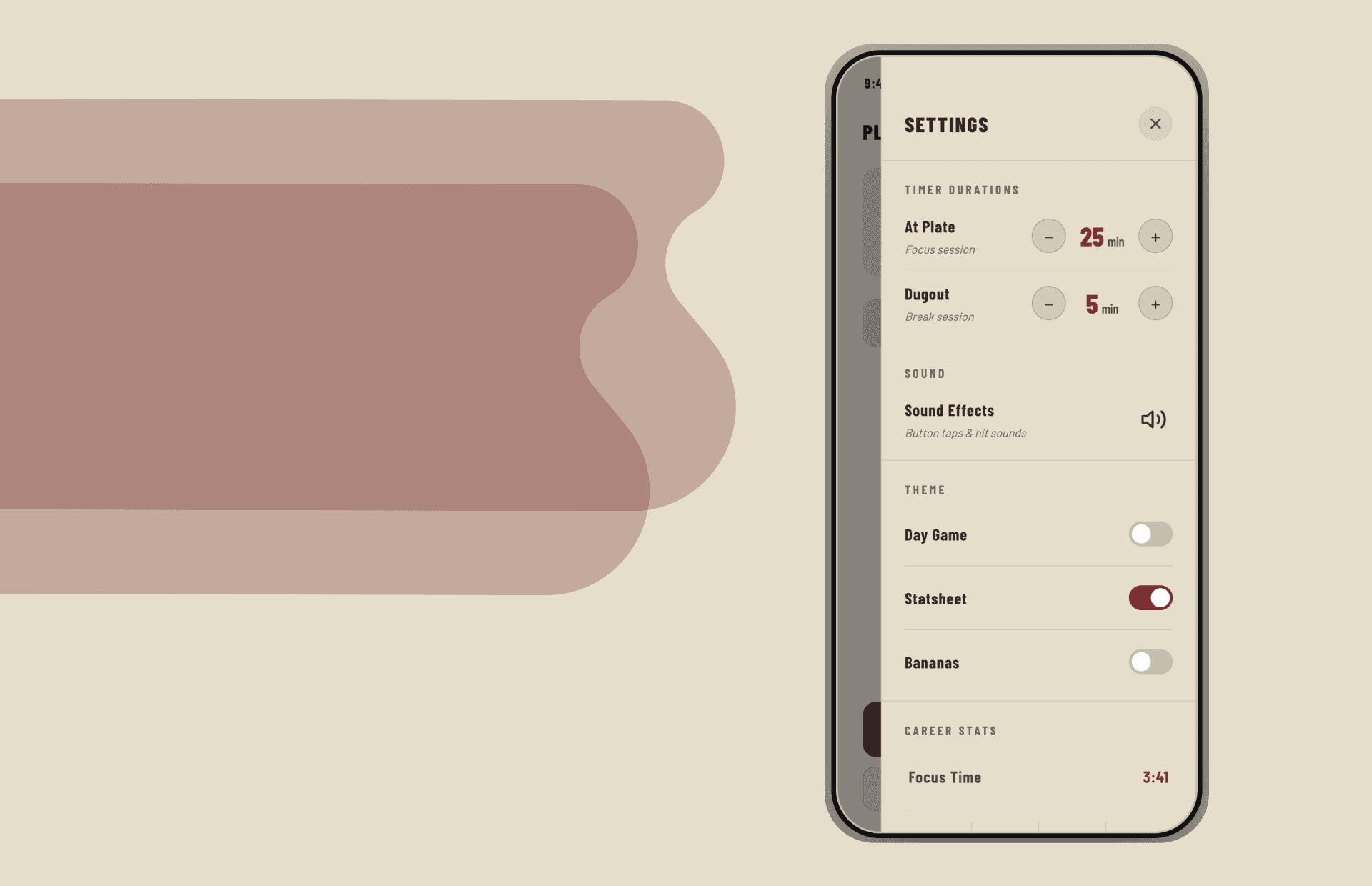
In addition, I created 3 themes the user can choose from:
Day Game: Think old-fashioned chalk boards and score boards of the early 1900s.
Statsheet: Inspired by paper scorecards, newspapers, and books such as Baseball Prospectus.
Bananas: A shoutout to the Savannah Bananas and Miami Marlins colors, this is a fun, retro vibe.
To do this, I first came to Claude with my high-level ideas for each theme. From there, we discussed color options and went back and forth on tweaks and adjustments.
Creating and Running a QA Test Plan
Once the core functionality was complete, I asked Claude to create a testing plan for me to fully QA the app, and check the code to see if there's anything I should keep an eye out for.
We also made the testing plan more thorough by testing certain functionality and behaviors in each individual theme, vs once for across the whole app.
It gave me a list of behaviors to test, and caught flaws and presented edge cases I hadn't thought through after reviewing the code in detail. For example, there was no confirmation dialogue if you reset your career stats. Upon telling me this, I asked the AI to build this in.
It was also helpful to have the AI build temporary shortcuts to trigger certain actions, such as a bug that would trigger home runs to make sure the celebration was working correctly. Waiting to trigger this or writing test code manually would have taken much more time.

Some methods to quickly test functionality were to make 1-minute timers, or to build temporary triggers for certain stats, such as testing the Home Run celebration on a key command.
Once I completed the test, I jotted down lists of suggestions and we continued to make updates to the app.
Documentation and Repository
The benefit of creating an application with an AI platform is that with all of the context and decisions stored, it can easily create and update documentation.
Once the design was complete, I asked the app to create 3 sets of documentation:
Product Documentation: Documentation for anyone to learn and understand how the app works.
Technical Documentation: Aimed specifically at developers to know the ins and outs of the code.
README: The front-page description of the code repository.
Once I had these documents, I uploaded the project onto its own repository on GitHub. That way, I can continue to track its progress and keep the code up to date. These materials will also be helpful to have if I collaborate on the app with other designers or developers in the future.
From Browser Preview to Progressive Web App on Mobile
After uploading to Github, the next step was to convert the code from a browser preview to a Progressive Web App (PWA) that I could easily load and test on mobile.
This was made possible by utilizing Vercel. As I add and replace files to the repository on Github, it automatically updates the changes on Vercel, and I can see them updated live on my phone. This makes it easier to test how the app will look on a real device rather than in the browser.
First App Iteration
Learnings & Next Steps
The main things I learned during this project are:
Come in with a plan: Providing context and a vision for the app and certain details upfront helped make the build process much smoother.
Strengths and weaknesses of different AI applications: Some applications hallucinate more than others or make it more challenging to work with, so it was key to find one that I liked working with and can continue with beyond the V1.
Think in features and behavior, not just pixels: By creating a prototype immediately rather than designs in Figma to start, this allowed me to jump to in
teractions and features much quicker.
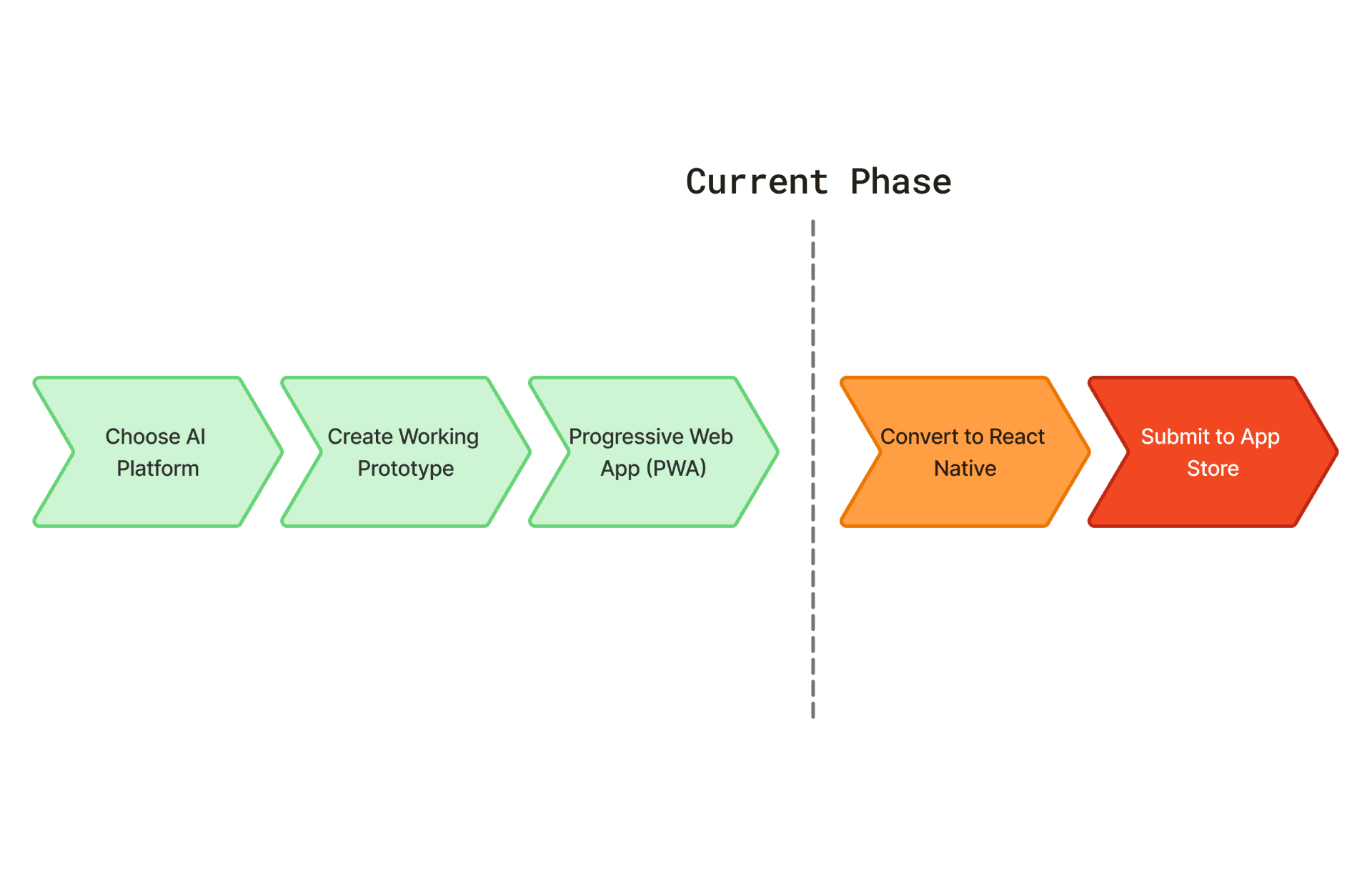
However, this project is far from done. If I want to eventually get this app onto the app store, next steps for me are:
Continuing iterating the mobile app: Now that I've turned this into a Progressive Web App through the browser, there are additional features and updates I'd like to make as I continue to test it out on my phone.
Get the app onto app stores: This will require a significant rewrite (convert to React Native), but the continuous testing and feedback will lay the foundation towards this goal.
