Optimizing Information Density and Accessibility for Caltrain
About
Context:
Independent Audit
Services:
UI/UX

Before
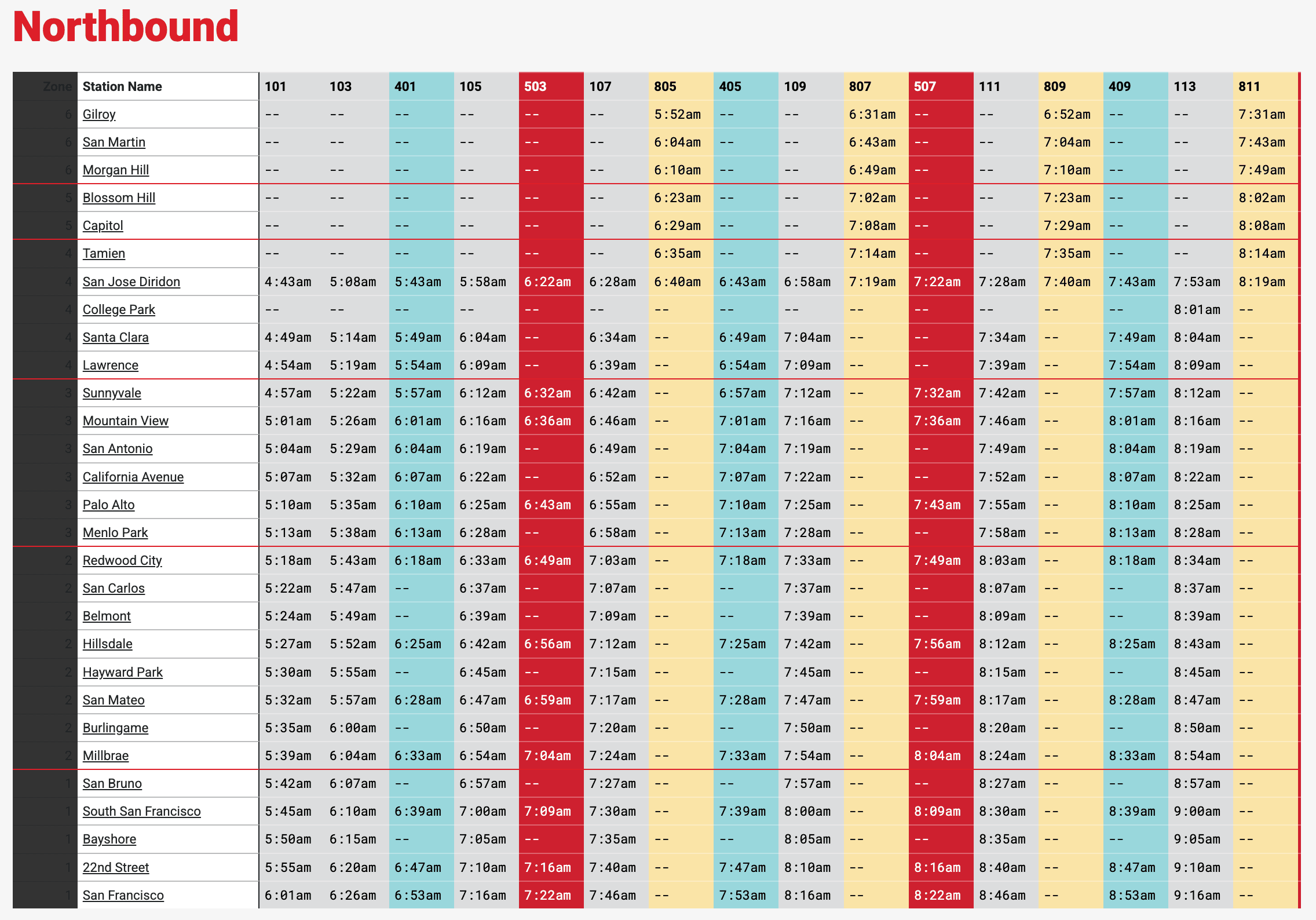
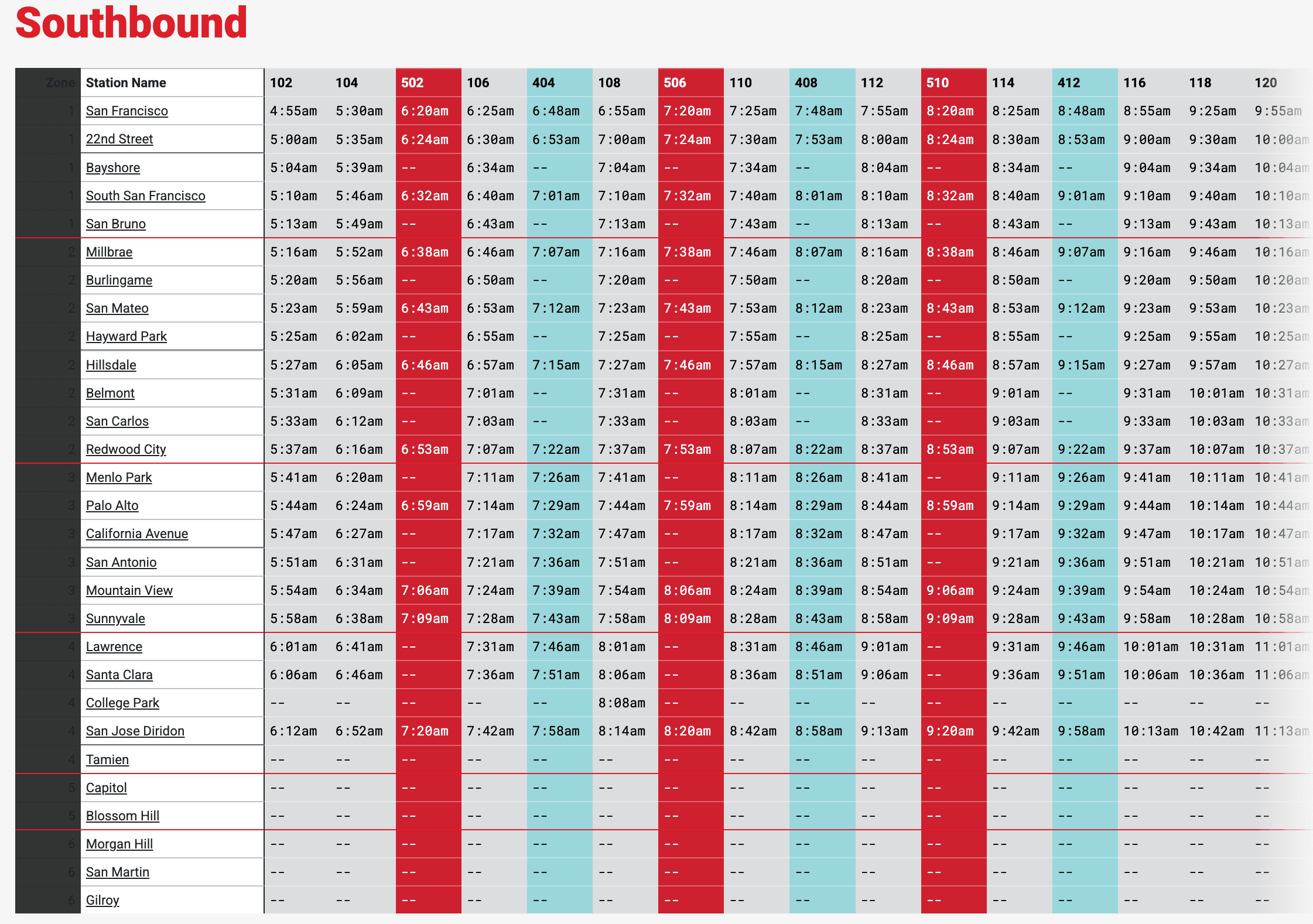
Two grids, one for each direction and type of day (weekend / weekday), and legibility issues all around:
After
One grid with toggles for direction and day, a modernized nav bar, and improved legibility:
Issues with Contrast and Information Overload
After auditing Caltrain’s existing interface and researching public transit industry standards, I identified several issues with the current design:
Cognitive Load: The current system fragments data across four separate static grids (2 for each Direction and Day Type). This forces users into excessive "pogo-sticking" - vertical scrolling and jumping between pages - which increases the likelihood of user error and takes unnecessary time.
Accessibility (A11y): The interface fails multiple WCAG contrast tests, most notably the Zone indicators that make this information illegible.
Information Density: Scrunched, small-scale typography lacks "visual breath," making the schedule difficult to parse on both desktop and mobile devices.
Removing Friction with Dual Toggles
To eliminate the friction of navigating multiple tables, I implemented separated toggles for Direction and Day Type. This allows for instant state-switching without the user needing to scroll vertically or losing their position on the page:
By consolidating data into a single, dynamic container, I reduced the cognitive load required to verify that a user is viewing the correct schedule at a glance.
Anchoring the Brand
As an additional challenge for this project, I redesigned the primary navigation for the website:

I focused on establishing a strong vertical axis to aid in rapid scanning. By using the Caltrain logo as a visual anchor, I aligned the primary navigation and the station list along a consistent left rail.
This alignment supports an F-Pattern scan-path, allowing users to locate their destination and then move horizontally to find their departure time with minimal eye strain.
A Consolidated, Accessible Redesign
Impact & Learnings
This project taught me to try different ideas, but that sometimes, you can stick with what currently works. I initially explored a Zone-First architecture (grouping stations under their respective zones), assuming it would simplify the station data for new riders:

While this allowed for more information, it also added unnecessary clicks and cognitive load to scan and find the relevant zone and station. I pivoted back to a traditional grid model but committed to an extensive visual overhaul to maximize scannability.
This project also taught me to manage the challenges and trade-offs of designing a highly data-dense grid. I prioritized legibility by increasing row heights and font sizes, which naturally pushed some content below the fold. To mitigate this, I kept the existing sticky Station and Zone columns, allowing users to scroll horizontally across while maintaining essential zone information.
Having redesigned this interface as a personal project to not only learn, but also fix something that I as a regular user felt required a refresh, I sent this design directly Caltrain and explained my rationale.


